
Archivist Developer Platform
Build powerful integrations with the Archivist API. Manage campaigns, characters, sessions, and more.
Getting Your API Key
Prerequisites
To use the Archivist API, you'll need an active Archivist subscription. If you don't have one yet, you can upgrade your account at app.myarchivist.ai.
Generate Your Key
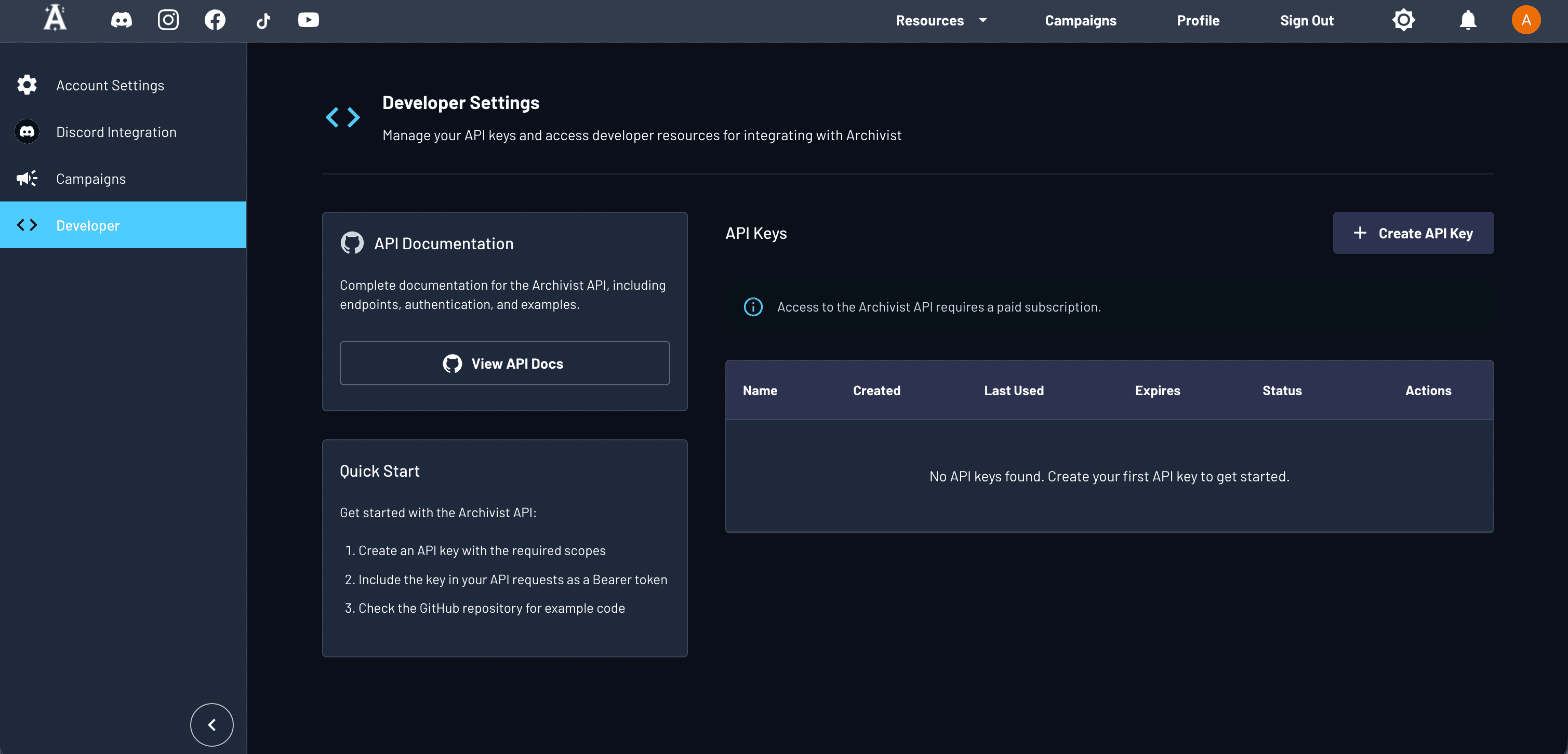
- Navigate to the Developer tab in your Archivist account profile
- Click the "Generate New API Key" button
- Copy your new API key and store it securely
- Head to the Playground to start testing endpoints
⚠️ Security Notice
Keep your API key secret! Never commit it to version control, share it publicly, or expose it in client-side code. Treat it like a password—if compromised, regenerate it immediately from your Developer panel.
Documentation
Learn the fundamentals and core concepts
API Reference
Explore all endpoints and parameters
MCP Server
Connect AI assistants to campaign data
Playground
Test API calls directly in your browser
Code Examples
Python, TypeScript, and cURL samples on GitHub
API Changelog
Breaking changes and release notes